
How to use your Mac function keys (F1, F2, ...)
Mac Function Keys - How Do They Work on a Das Keyboard Mac-Compatible Board?
For this article, keys and key combinations will be represented by bold italics, unless specifically referred to as a key.
Although Das Keyboard Mac boards such as the Model S for Mac or the Professional for Mac are Mac-compatible, they may function a bit differently than a native Apple keyboard. Due to the way Apple links with certain third-party boards, some features are lost in translation, such as the Mac function keys (F1, F2, ...).
However, this is not an issue: for Mac users who prefer to configure their function keys, we have the perfect solution.
Configuring Your Function Keys
We recommend Karabiner-Elements. Karabiner-Elements is a free, simple, and safe key remapping program for Mac computers and keyboards. Once it is installed, you will automatically gain the use of your function keys.
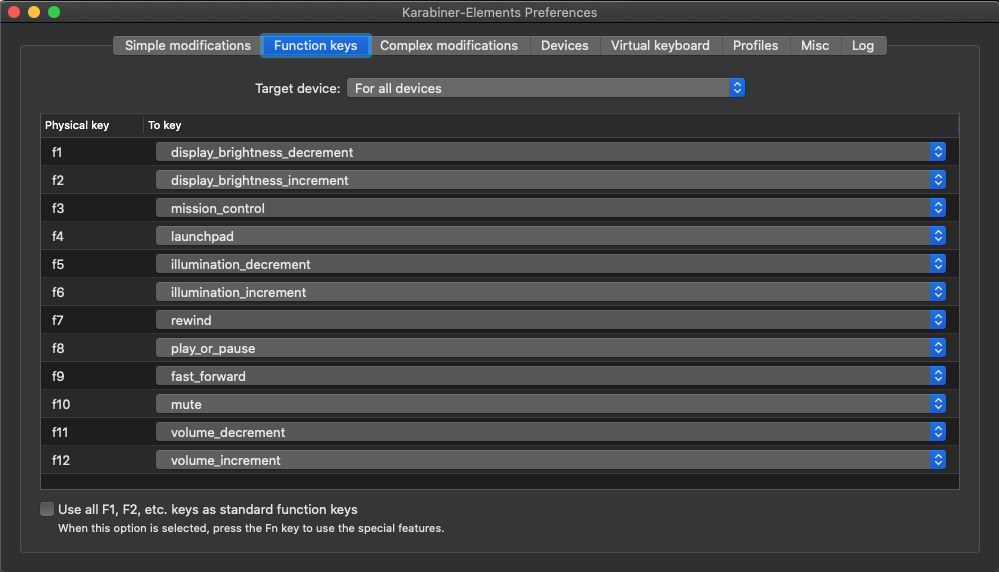
You will also be able to remap other functions, keys, and commands for easy customization of your board!
Give feedback