
How to put keycaps back on a blank Ultimate keyboard
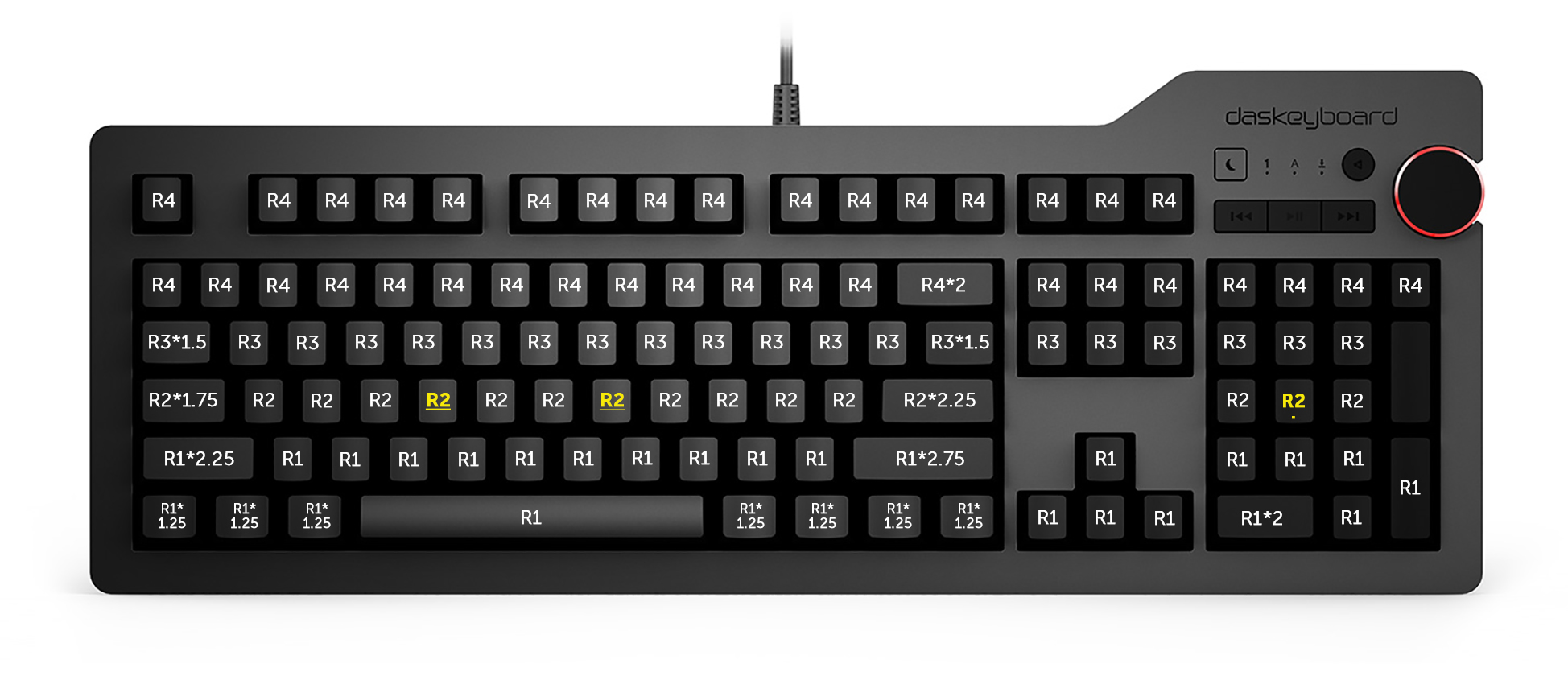
Because the Das Keyboard 4 Ultimate, 3 Ultimate, and Model S Ultimate keyboards all have blank keycaps, there are no inscriptions to indicate where the keycaps go if you remove them for cleaning. On the inside of each keycap, there is a small number that indicates where it should go. The bullet points and image below outline the correct positions, with the *1.XX indicating the length of the keycap in inches, and the yellow, underlined numbers indicating a bump on the key.
- Function Row: R4
- Number Row: R4
- Top Letter Row: R3
- Middle Letter Row: R2
- Bottom Letter Row: R1
- Bottom Ctrl, Alt, Fn, Spacebar Row: R1
For more information, visit this blog post on How to Reassemble Your Das Keyboard Ultimate.
Attachments
Give feedback